Auth0
Steps not yet verified in the identity provider's current admin console.
Recommended protocol: SAML 2.0.
SAML 2.0
Connect Auth0 with SAML 2.0
-
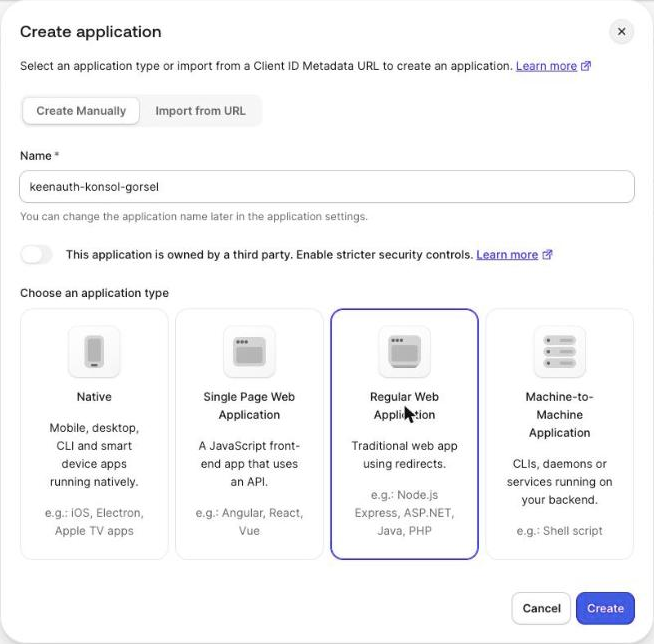
In the Auth0 Dashboard go to Applications > Applications. Open an application, or click Create Application, enter a Name, choose Regular Web Application and click Create.
-
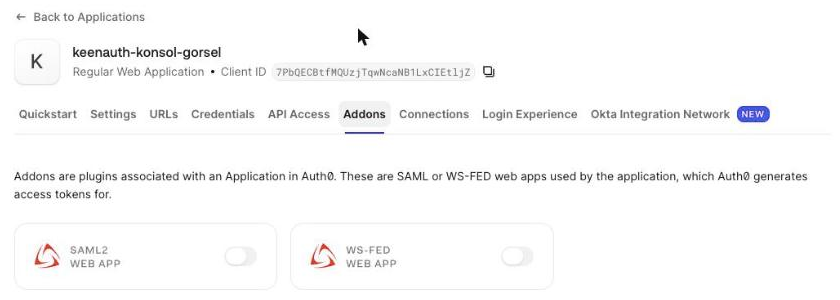
Open the Addons tab and turn on the SAML2 Web App toggle (do not enable WS-Fed on the same application); the Addon: SAML2 Web App dialog opens.
-
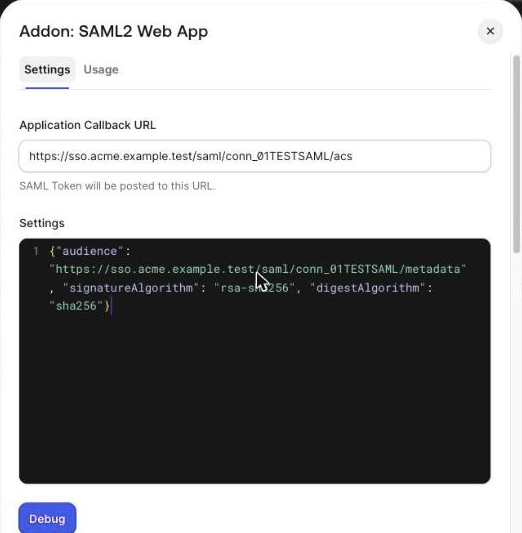
On the dialog's Settings tab enter ACS URL as the Application Callback URL. In the Settings JSON set "audience" to SP entity ID, "signatureAlgorithm" to "rsa-sha256" and "digestAlgorithm" to "sha256" (KeenAuth rejects SHA-1 signatures). Scroll down and click Enable.
-
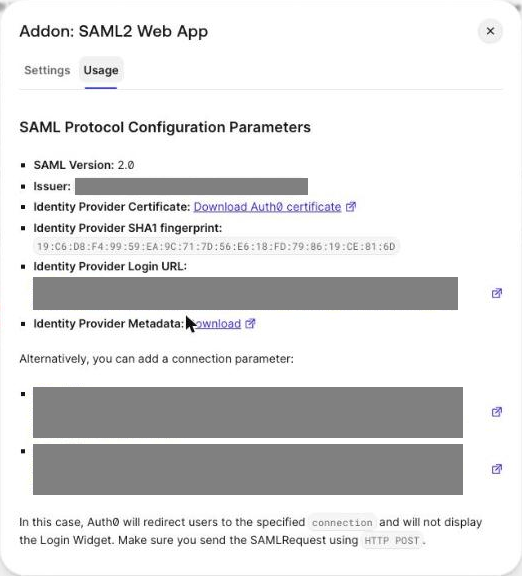
On the dialog's Usage tab click Download next to Identity Provider Metadata and upload it in KeenAuth, or copy the Identity Provider Login URL and Issuer and use Download Auth0 certificate.
-
Use the custom domain in the login URL if the tenant has one, then run the KeenAuth connection test.
Values in bold are shown on the connection's page in the Admin Portal, where this guide has them filled in.