Oracle Cloud Infrastructure IAM Identity Domains
Steps not yet verified in the identity provider's current admin console.
Recommended protocol: SAML 2.0.
SAML 2.0
Connect OCI IAM Identity Domains with SAML 2.0
This guide is not available in your language yet; it is shown in en.
-
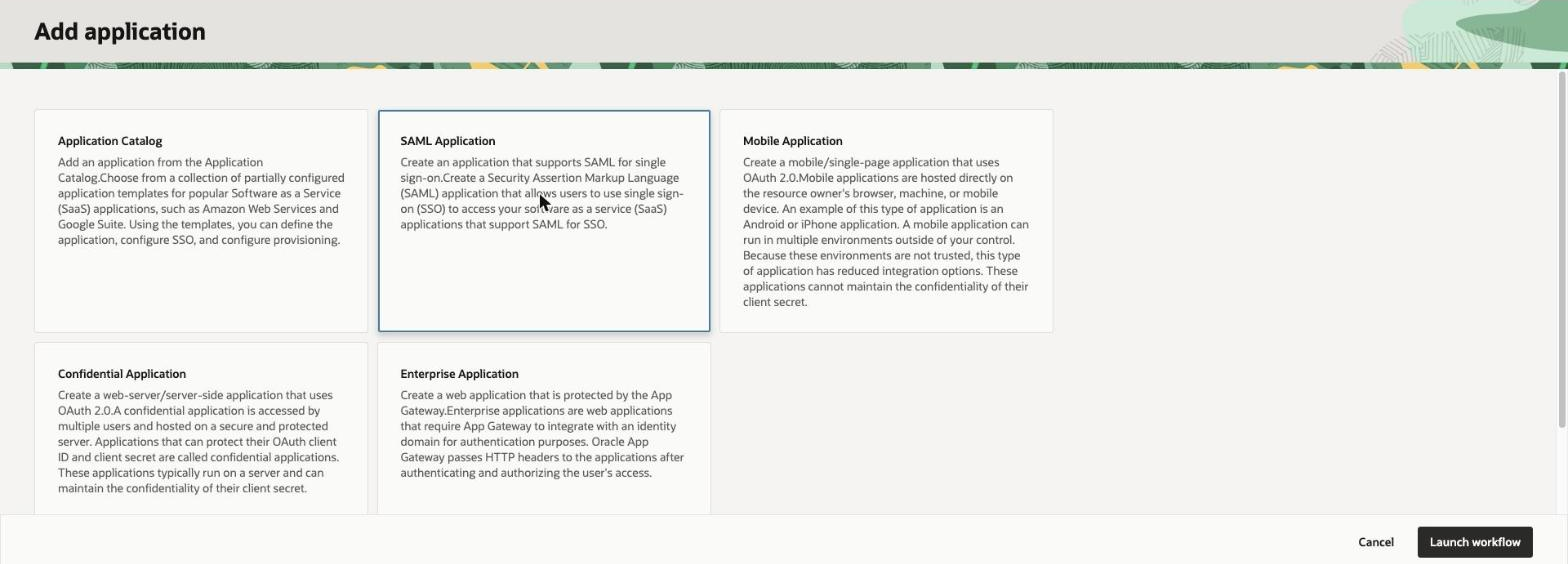
In the OCI Console go to Identity > Domains, open the identity domain, select the Integrated applications tab, then click Add application, choose SAML Application and click Launch workflow.
-
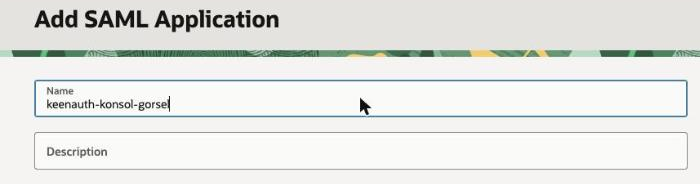
On Add SAML Application enter a Name, keep Enforce grants as authorization (under Authentication and authorization) turned on and click Submit. The application is created inactive.
-
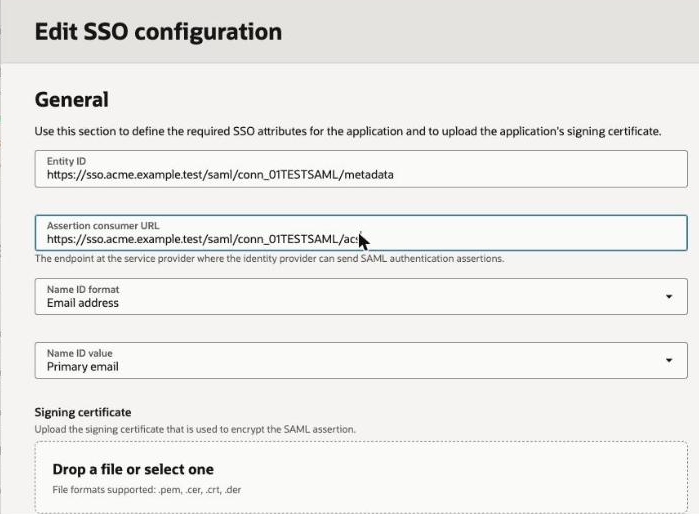
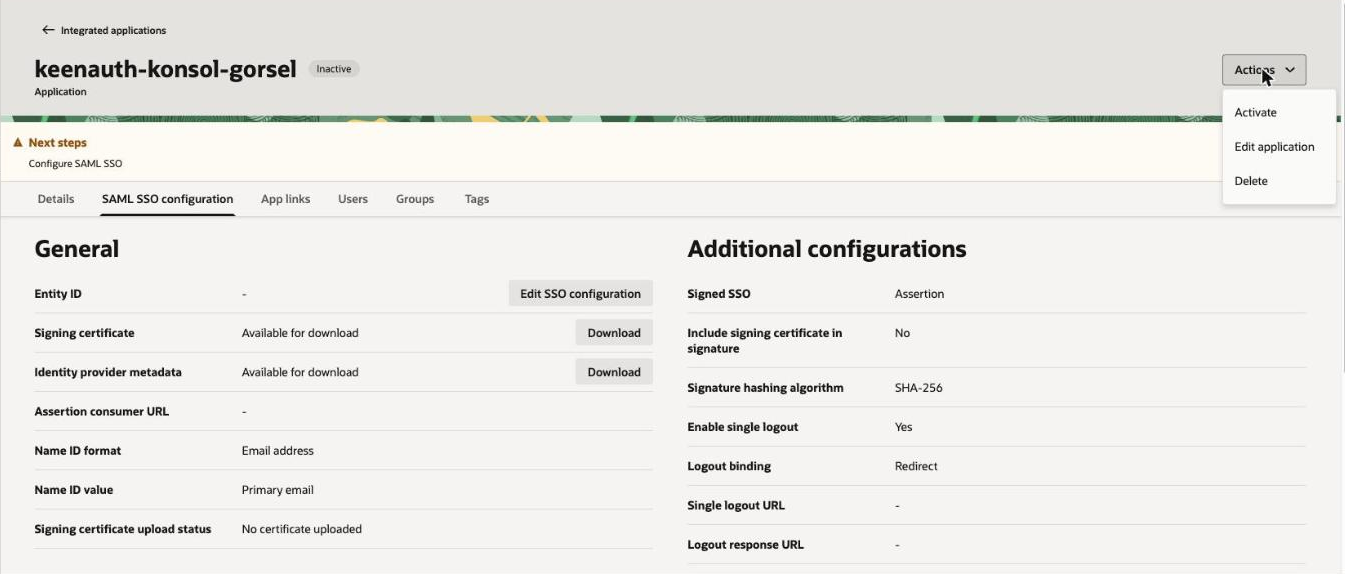
On the application's SAML SSO configuration tab click Edit SSO configuration and enter Entity ID SP entity ID and Assertion consumer URL ACS URL; choose Name ID format and Name ID value (the defaults are Email address and Primary email).
-
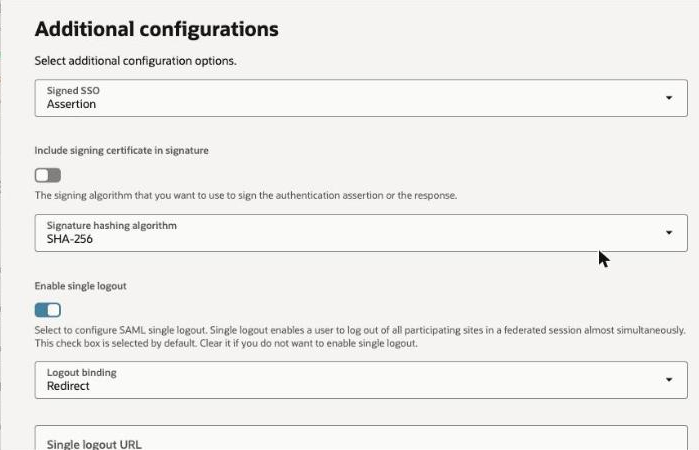
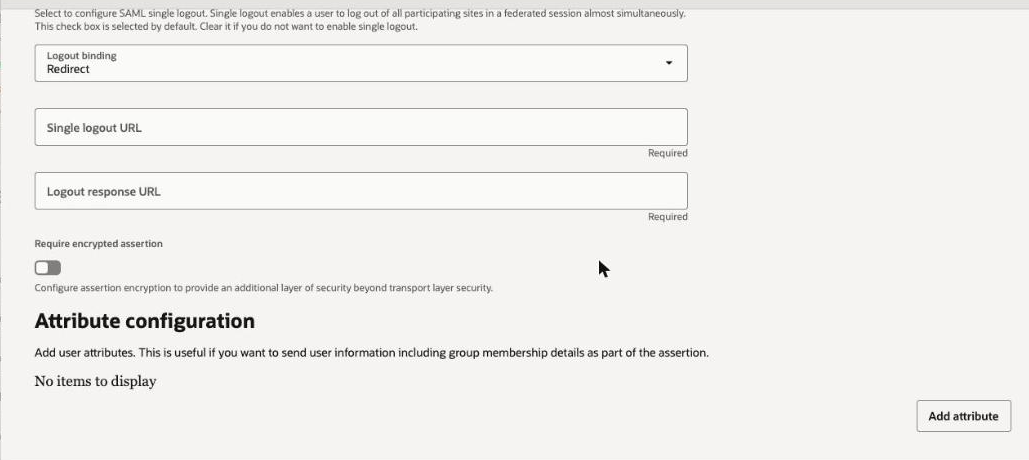
In the same form under Additional configurations keep Signed SSO (Assertion by default; Response or Assertion and response are also offered) and Signature hashing algorithm SHA-256 (the default). Enable single logout is on by default and then requires Single logout URL and Logout response URL: enter single logout URL or turn Enable single logout off.
-
Under Attribute configuration click Add attribute for user attributes or group membership, then click Save changes.
-
On the SAML SSO configuration tab use Download for the Identity provider metadata and the Signing certificate and upload them in KeenAuth, then activate the application with Actions > Activate and grant access on the Users or Groups tab.
Values in bold are shown on the connection's page in the Admin Portal, where this guide has them filled in.